The Frontend
The user-facing frontend gives teams a read-only view of license health, usage, demand, applications, users, denials, inventory, and reports. It is intended for operators, engineering managers, procurement teams, and anyone who needs to understand license consumption without entering the Admin UI.
For operator-only monitor status, recent logs, parser warnings, and polling-cycle metrics, use Live View. Live View is generated by limon-monitor after each run and is linked from both the Admin UI and the Frontend jump menu.
Header Tour
The header is shared across frontend pages, so the same controls stay available while users move from the dashboard into a detail or report view.
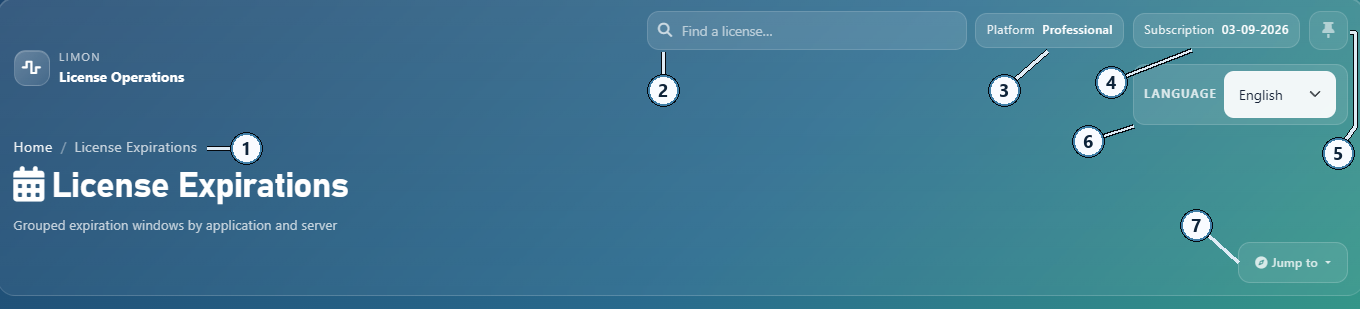
- 1Breadcrumb. Shows the current page path, starting from Home, so users can tell where they are in the frontend.
- 2Search. Opens quick license lookup from anywhere in the frontend.
- 3Platform. Shows the active platform tier, such as Standard or Professional.
- 4Subscription. Shows the current subscription/update entitlement expiration date.
- 5Pin/unpin. Pins the current page to dashboard shortcuts, or removes it when already pinned.
- 6Language selector. Switches the frontend language for the current user.
- 7Page selector. Opens the Jump to menu for main frontend pages, including Live View.
Jump Menu
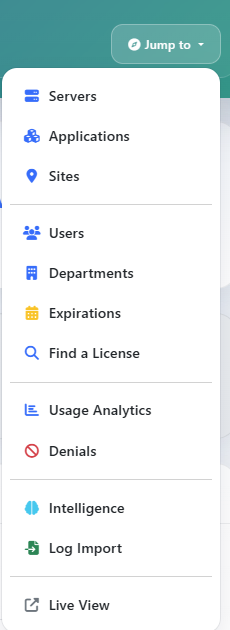
The Jump Menu is also shared across frontend pages. It gives users a quick way to move between the main analysis views, including the monitor-generated Live View, without returning to the dashboard first.
Main Page Examples
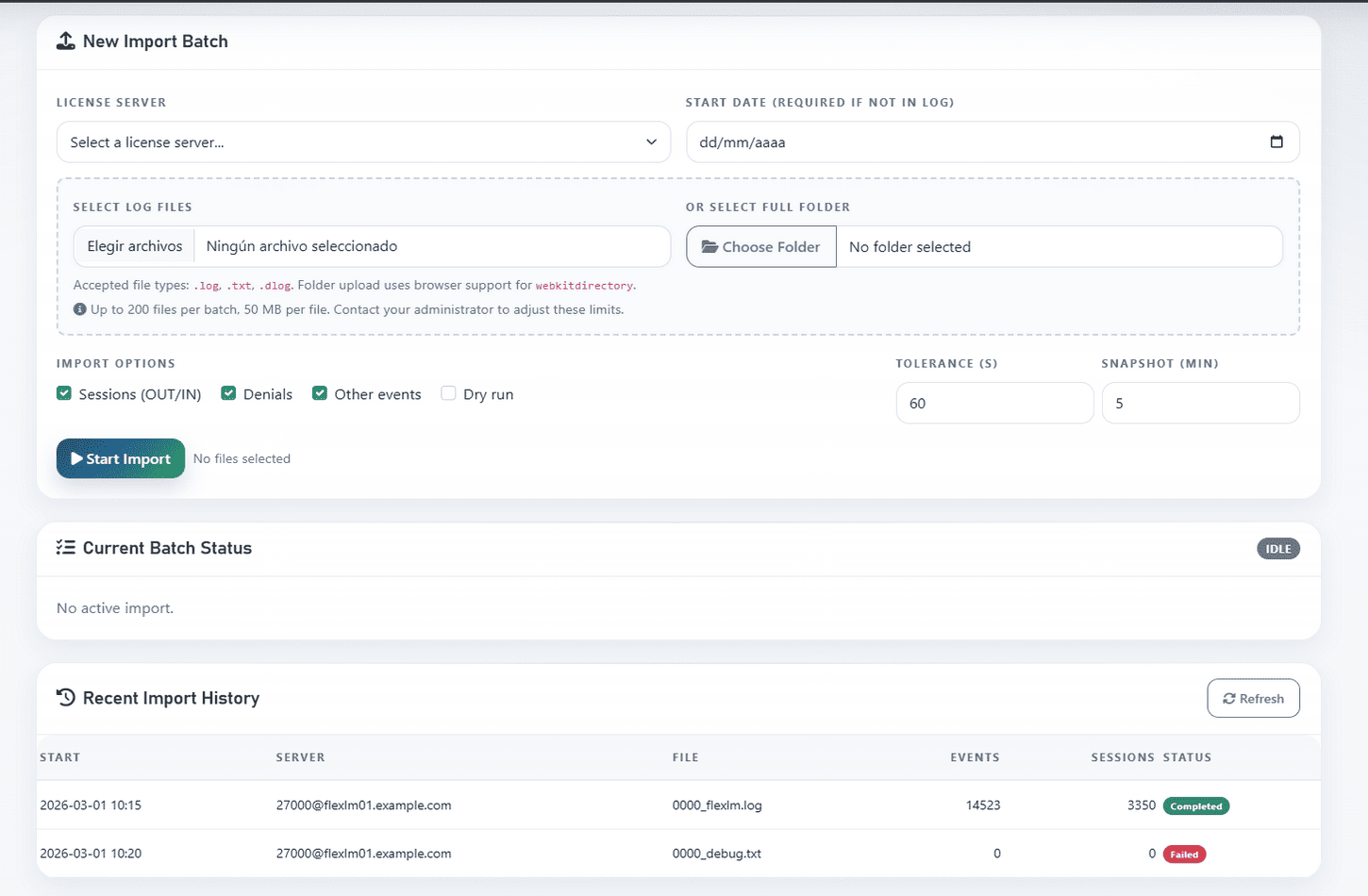
The captures below show representative frontend pages. They are examples of the main license-analysis, inventory, usage, denial, import, and intelligence views rather than an exhaustive page-by-page tour.
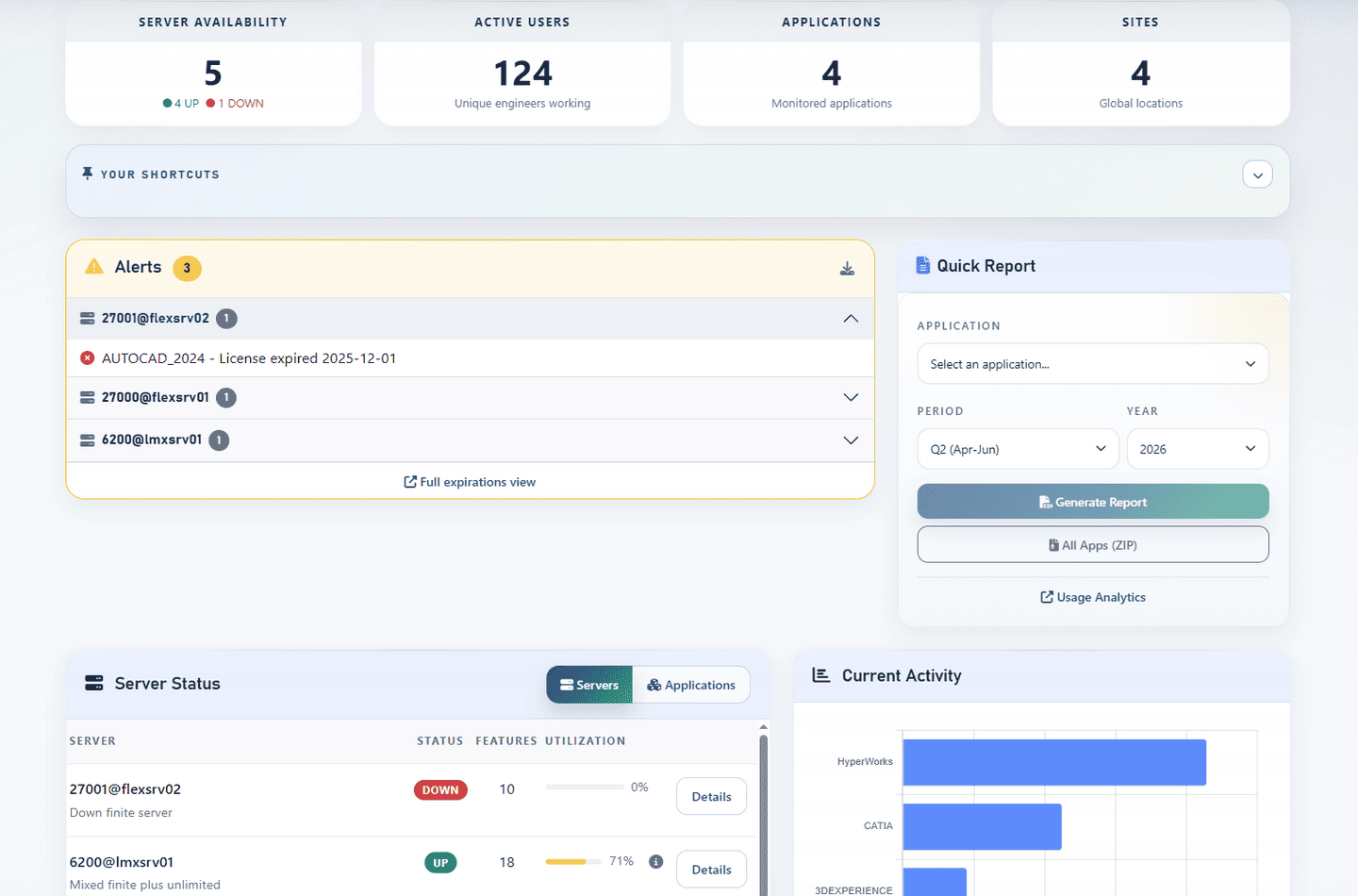
Example of the dashboard:
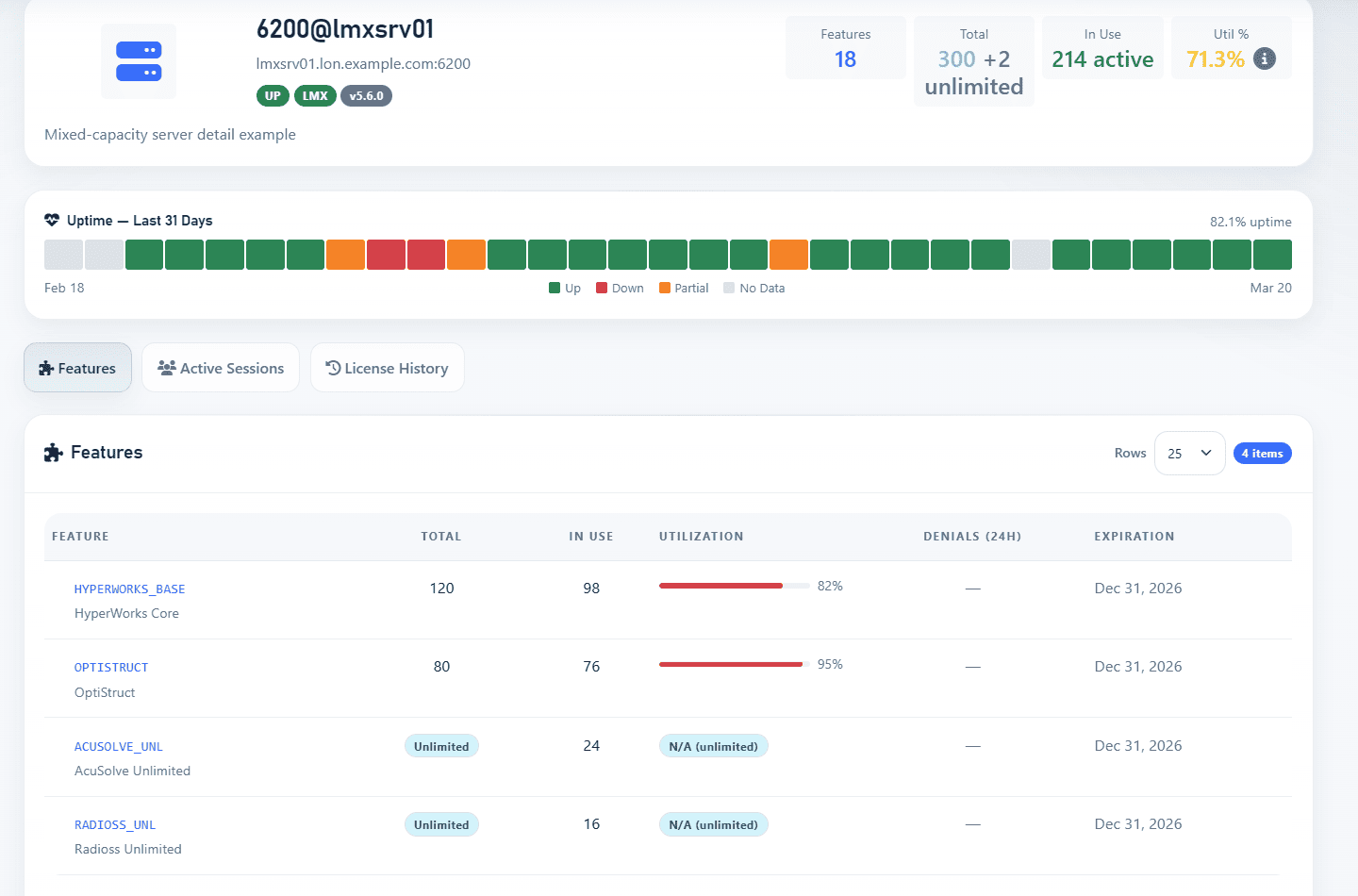
Example of a server detail page:
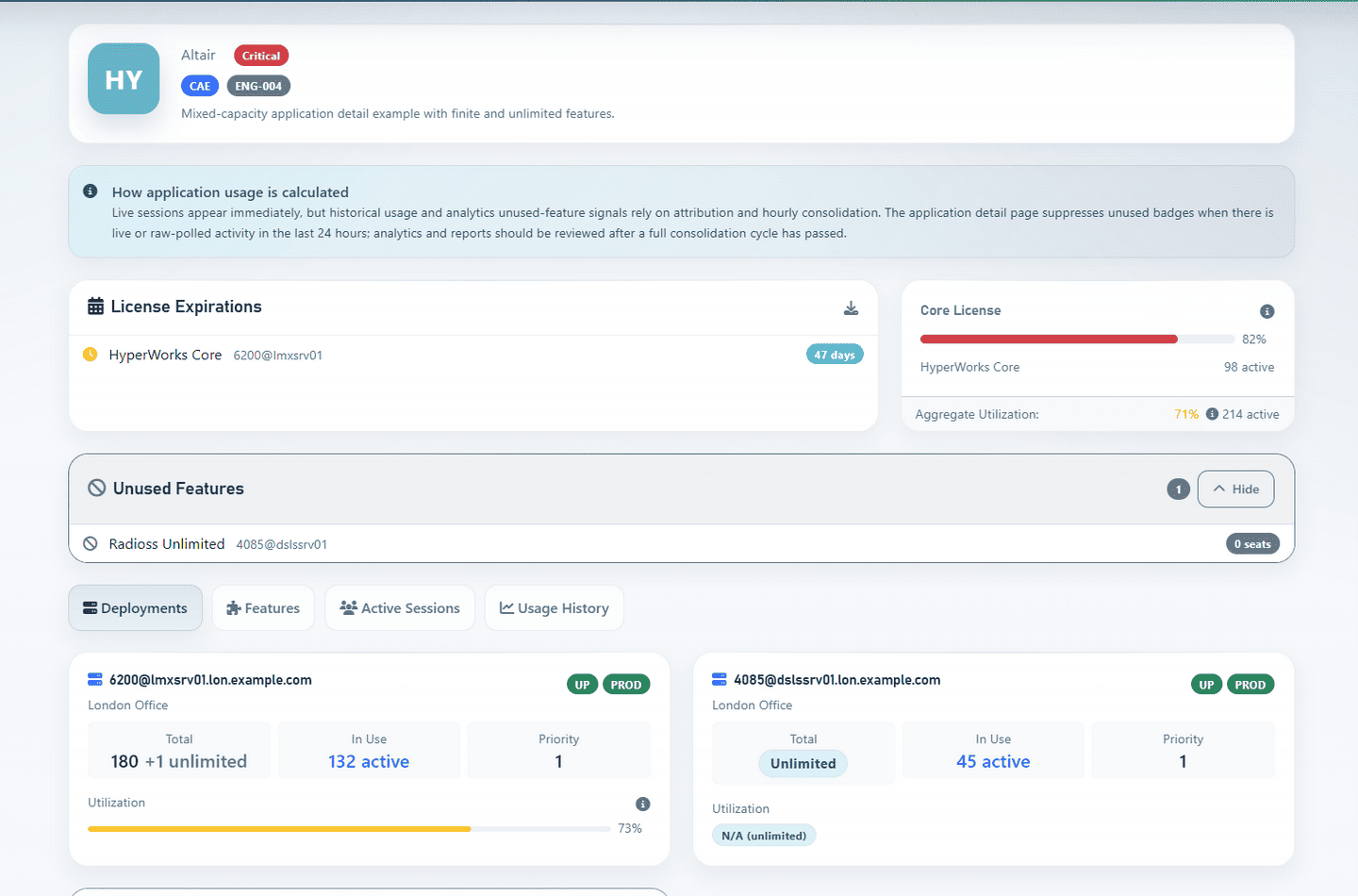
Example of an application detail page:
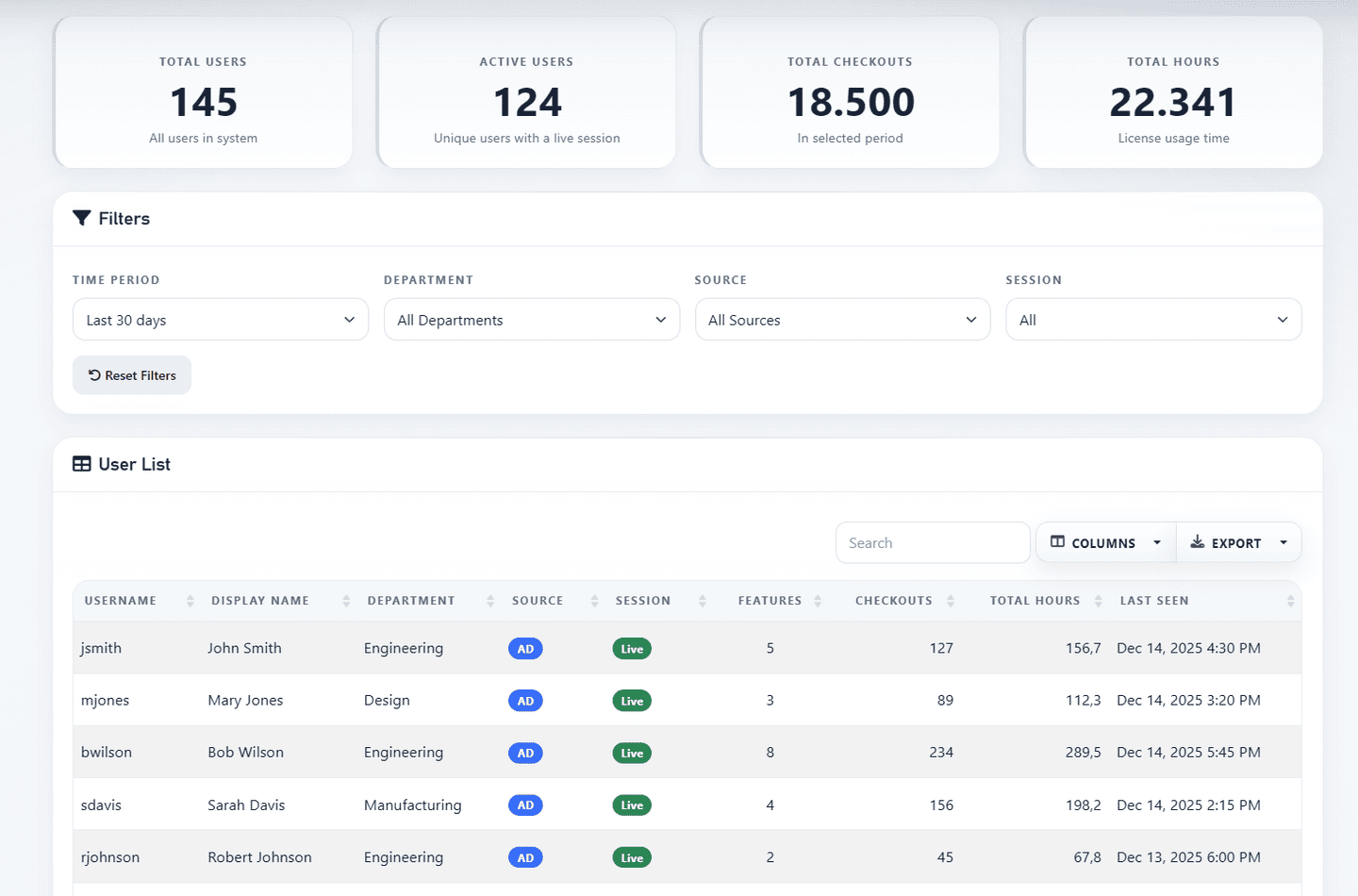
Example of the users view:
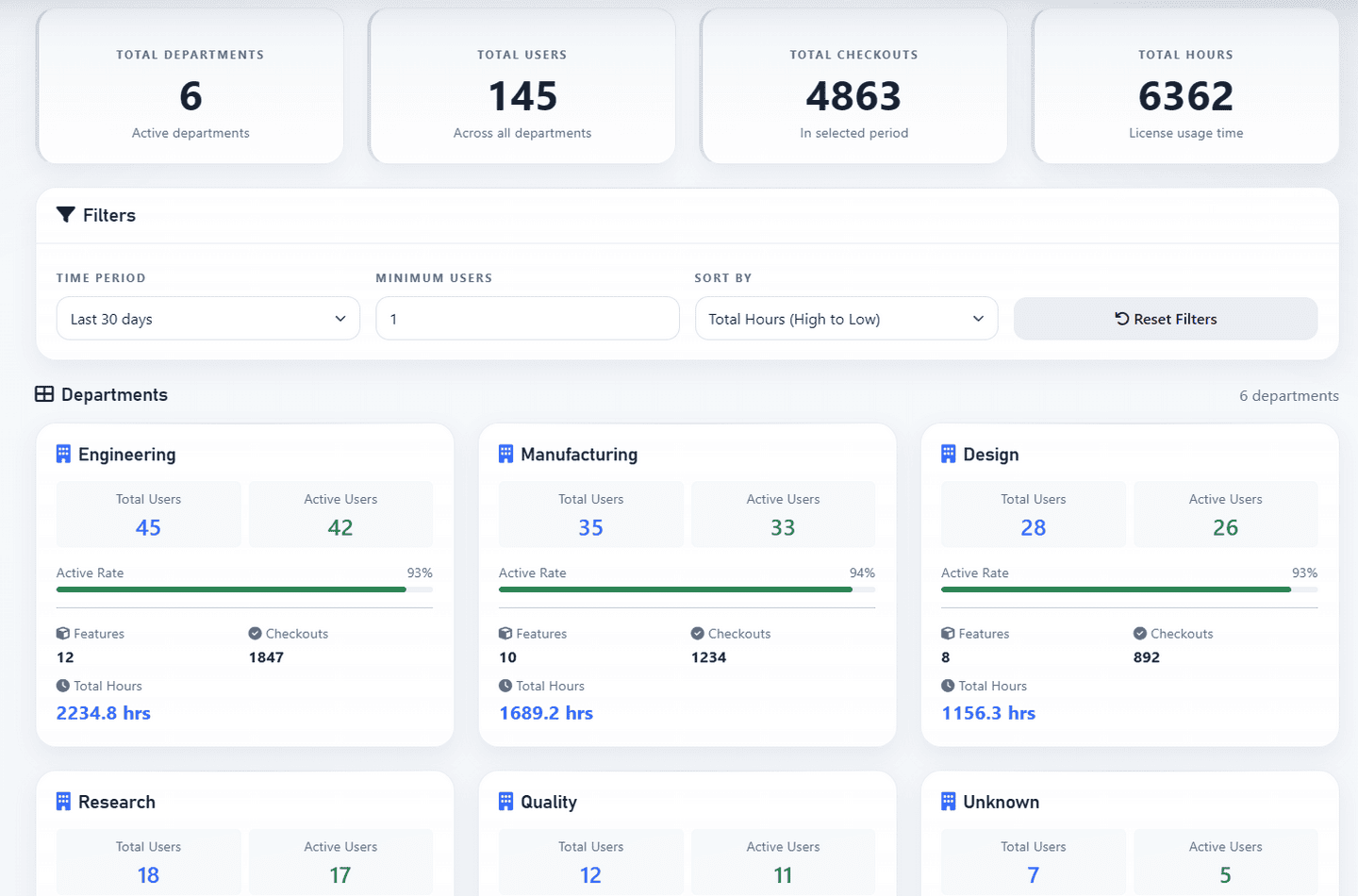
Example of departments overview:
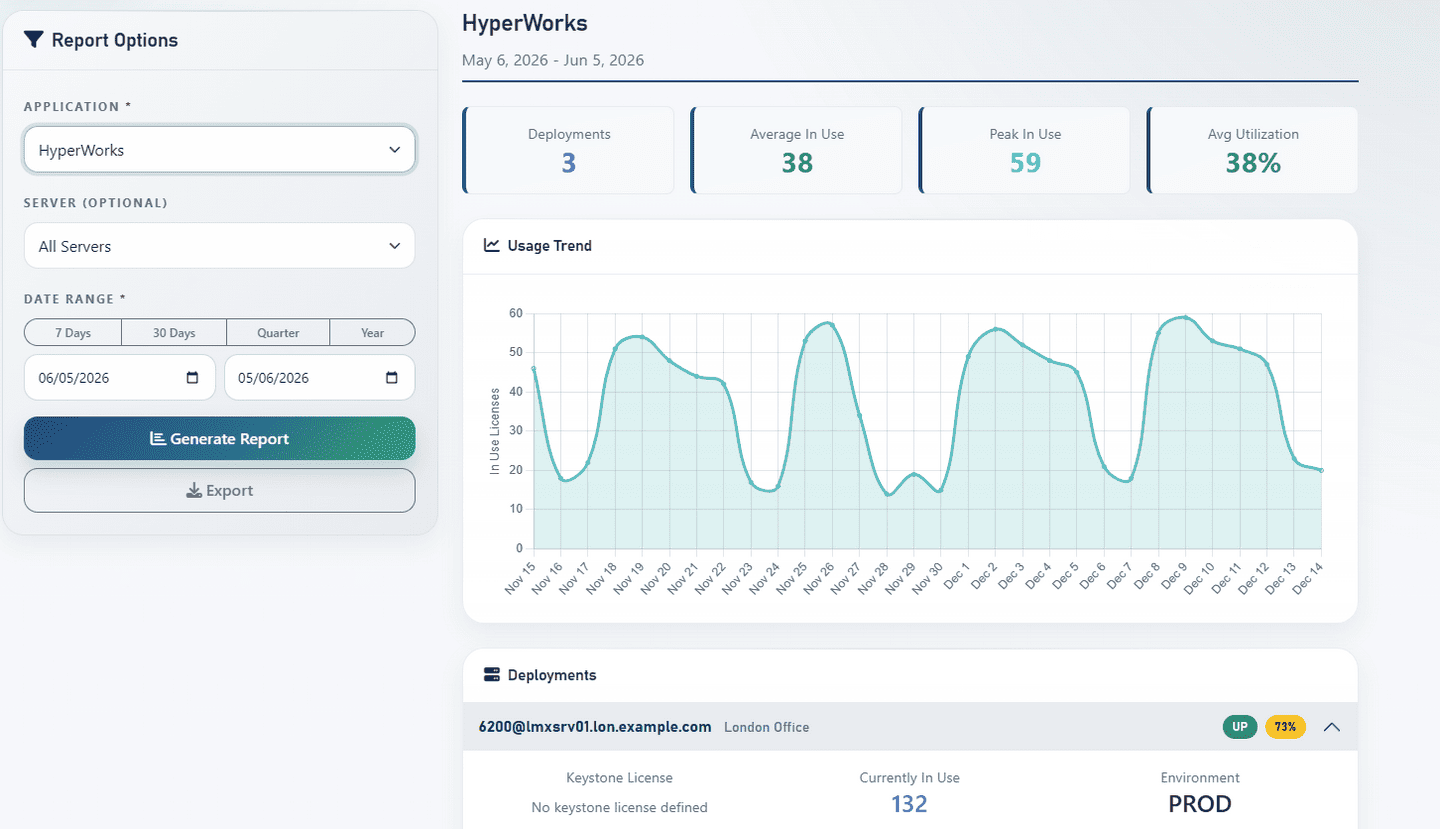
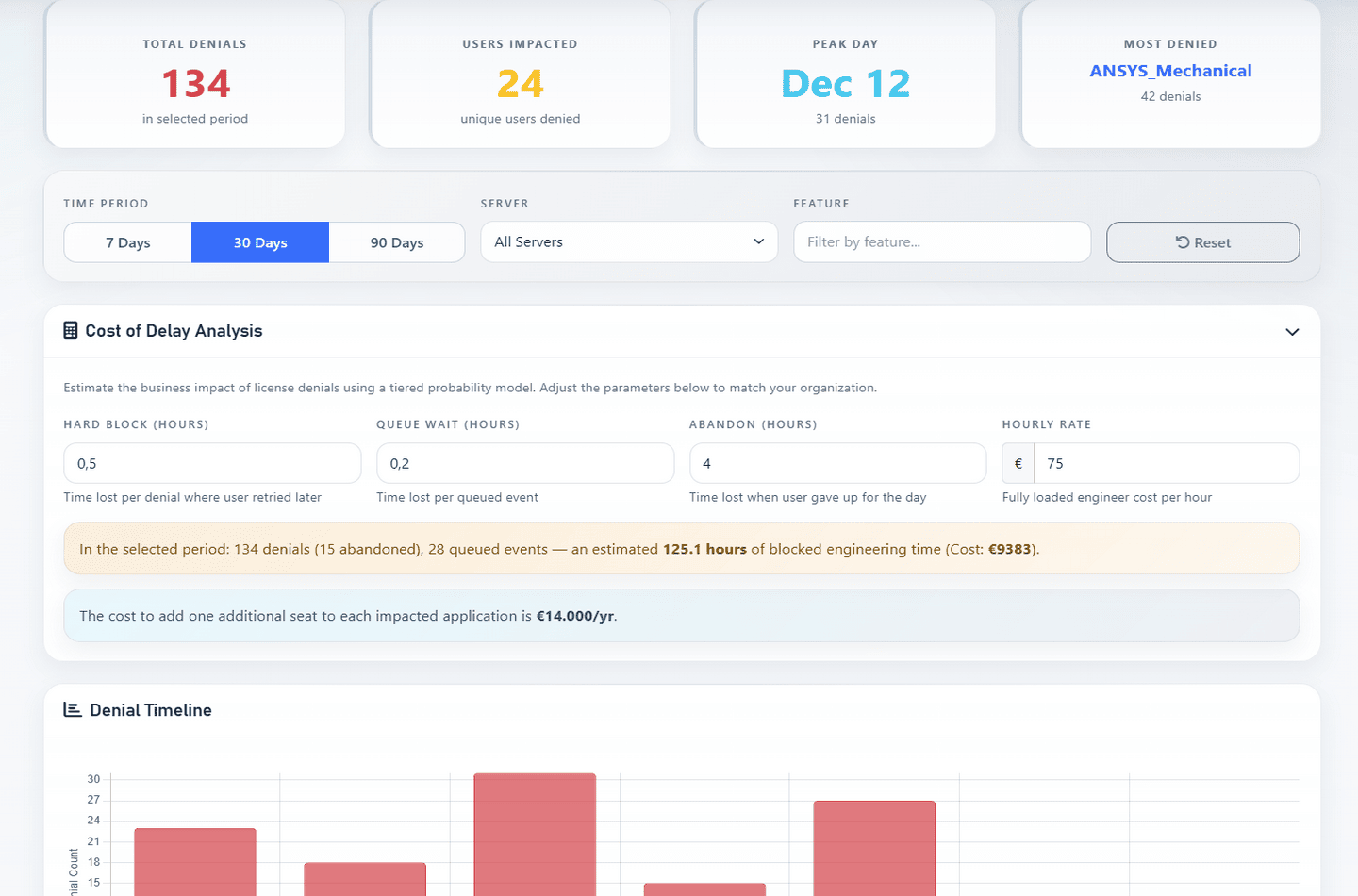
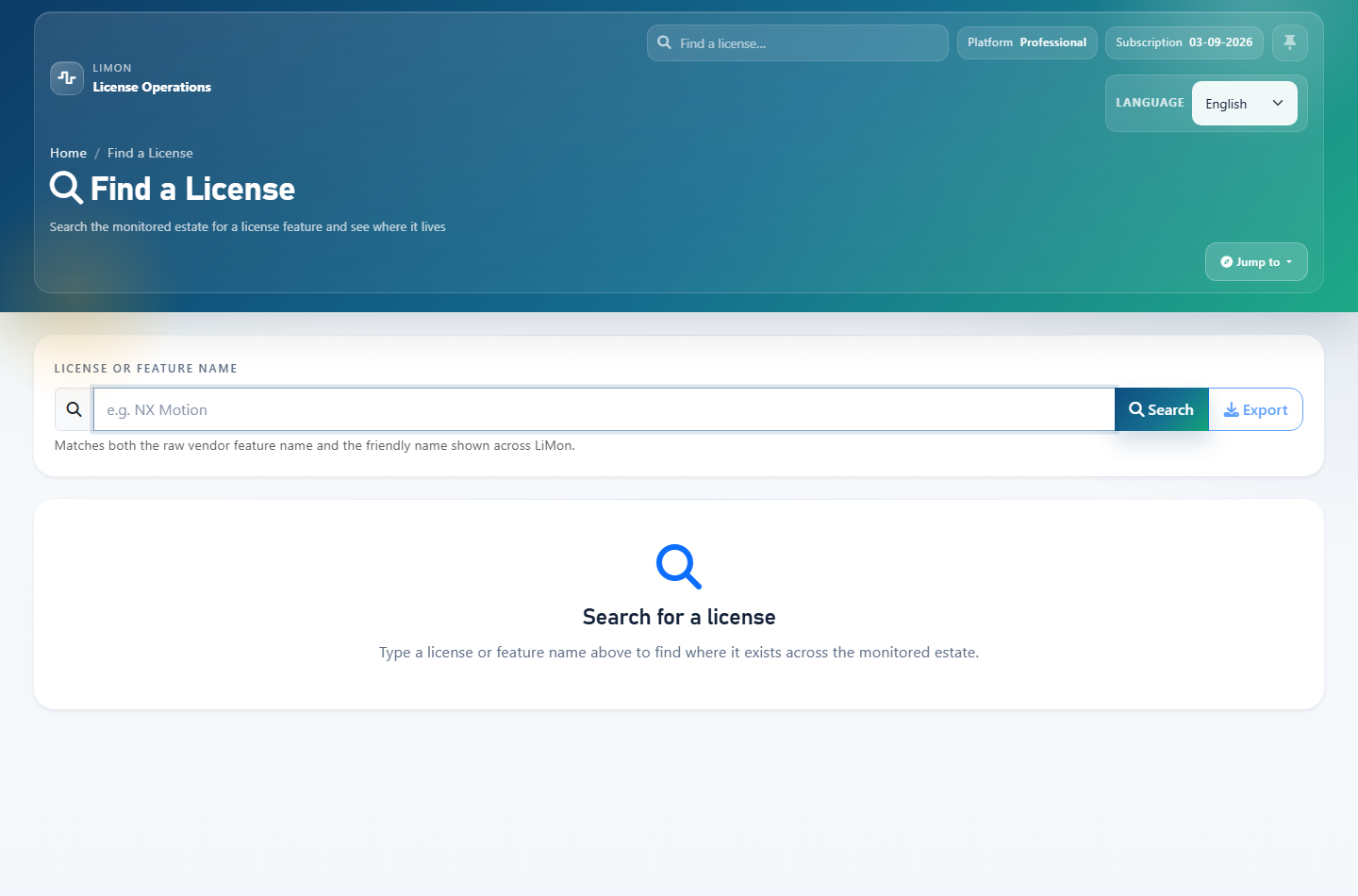
Usage and denial views help answer practical questions: which features are busy, who is using them, when peaks happen, and where users are blocked by denials. Expiration and license search views make it easier to inspect inventory and upcoming renewal risk.
Example of usage analytics:
Example of denials tracking:
Example of license search:
Example of log import:
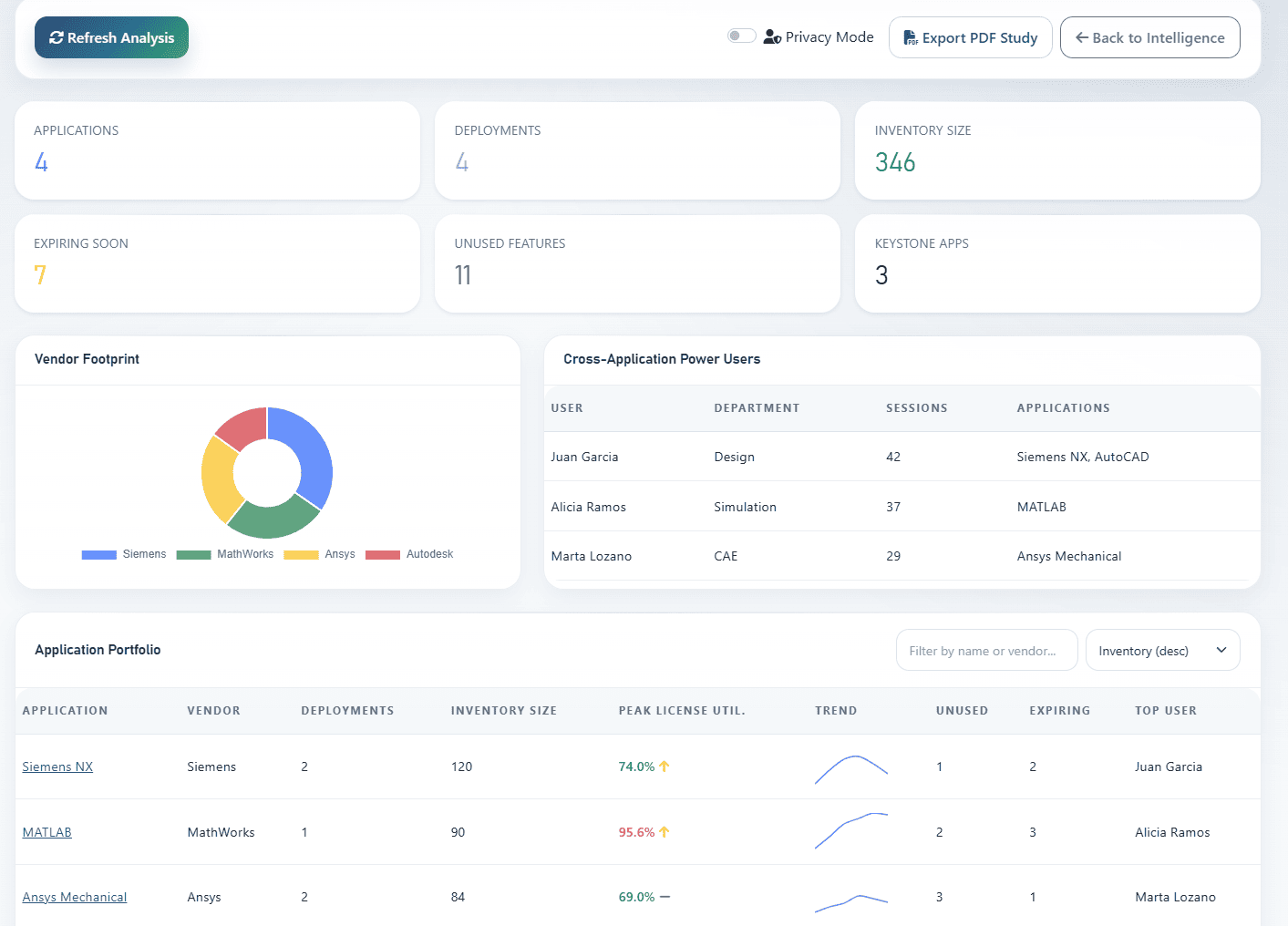
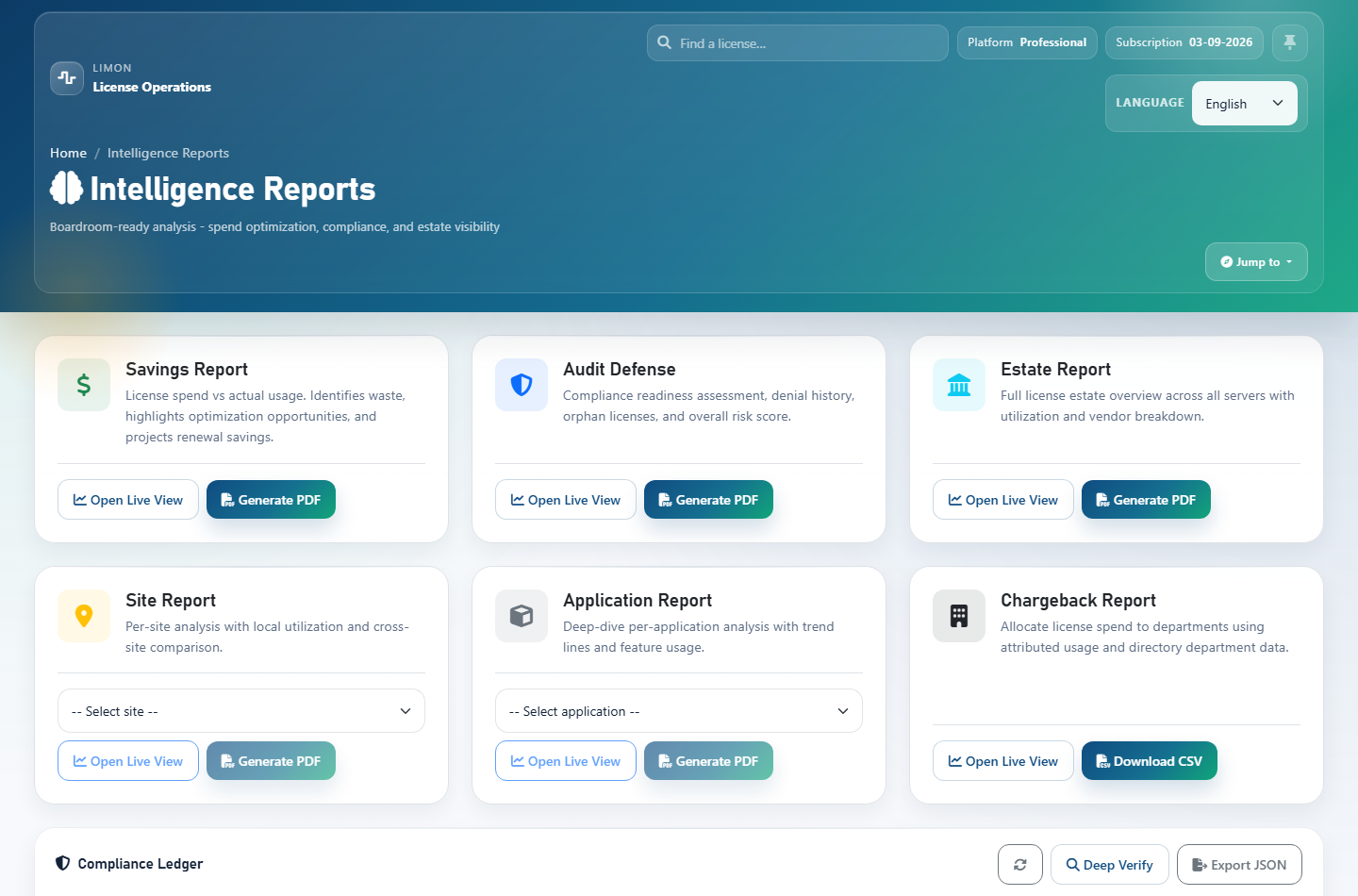
Example of the Intelligence hub:
Example of the Estate web view: